Set Up in 2 Minutes
Just add your parent's phone number and schedule. They don't need to do anything.
Works With Any Phone
Landline or mobile - if they can answer a phone call, FamilyPulse works for them.
Privacy-First Design
Calls are private, data is encrypted, and you control exactly what gets shared.
Instant Alerts
Get notified immediately if the AI detects something concerning in the call.
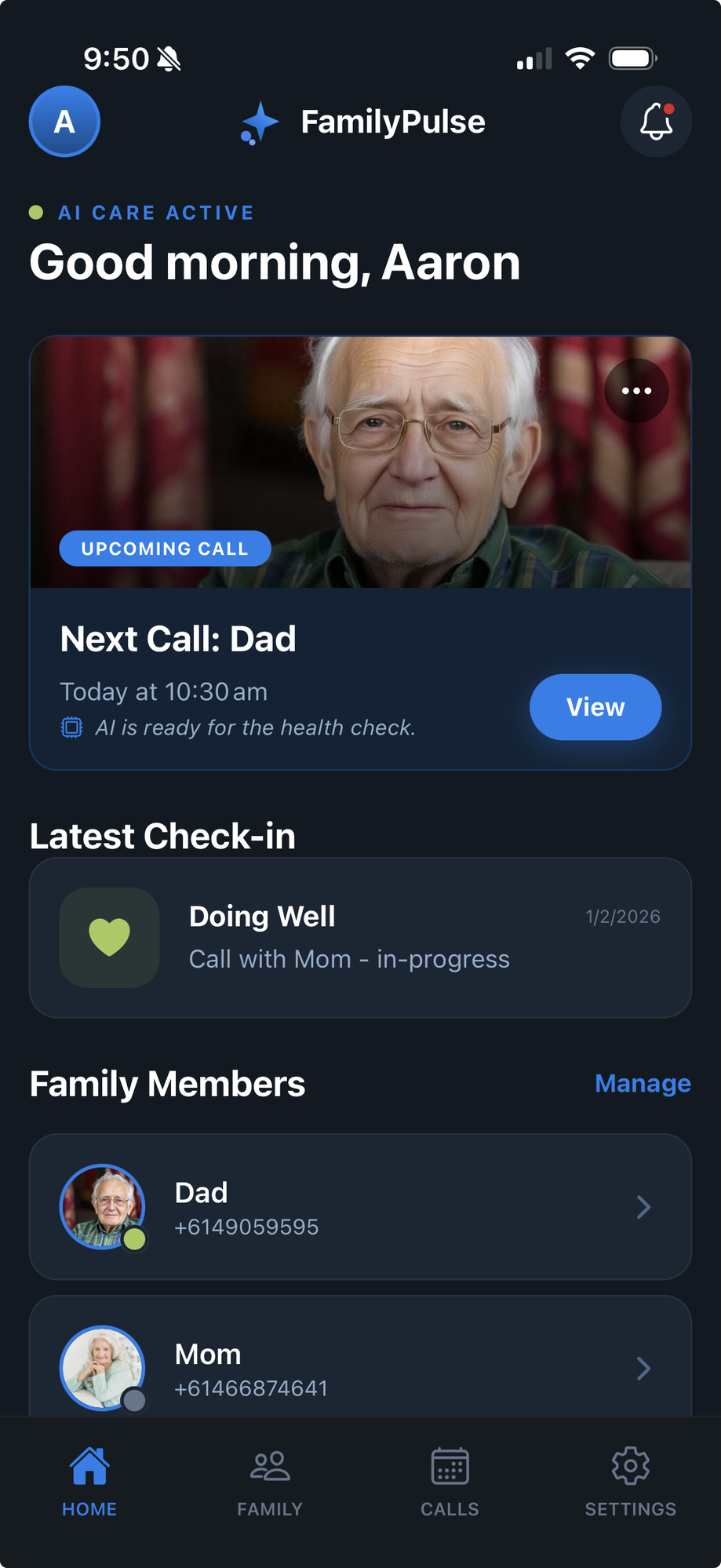
Download the App & Add Your Loved One
Download FamilyPulse from the App Store or Google Play. Create your account, then add your parent or loved one by entering their name and phone number.
- No account needed for your parent
They just receive phone calls - nothing to download or learn
- Add multiple family members
Monitor both parents, or add grandparents too
- Works anywhere in the US
Local phone numbers for a familiar calling experience
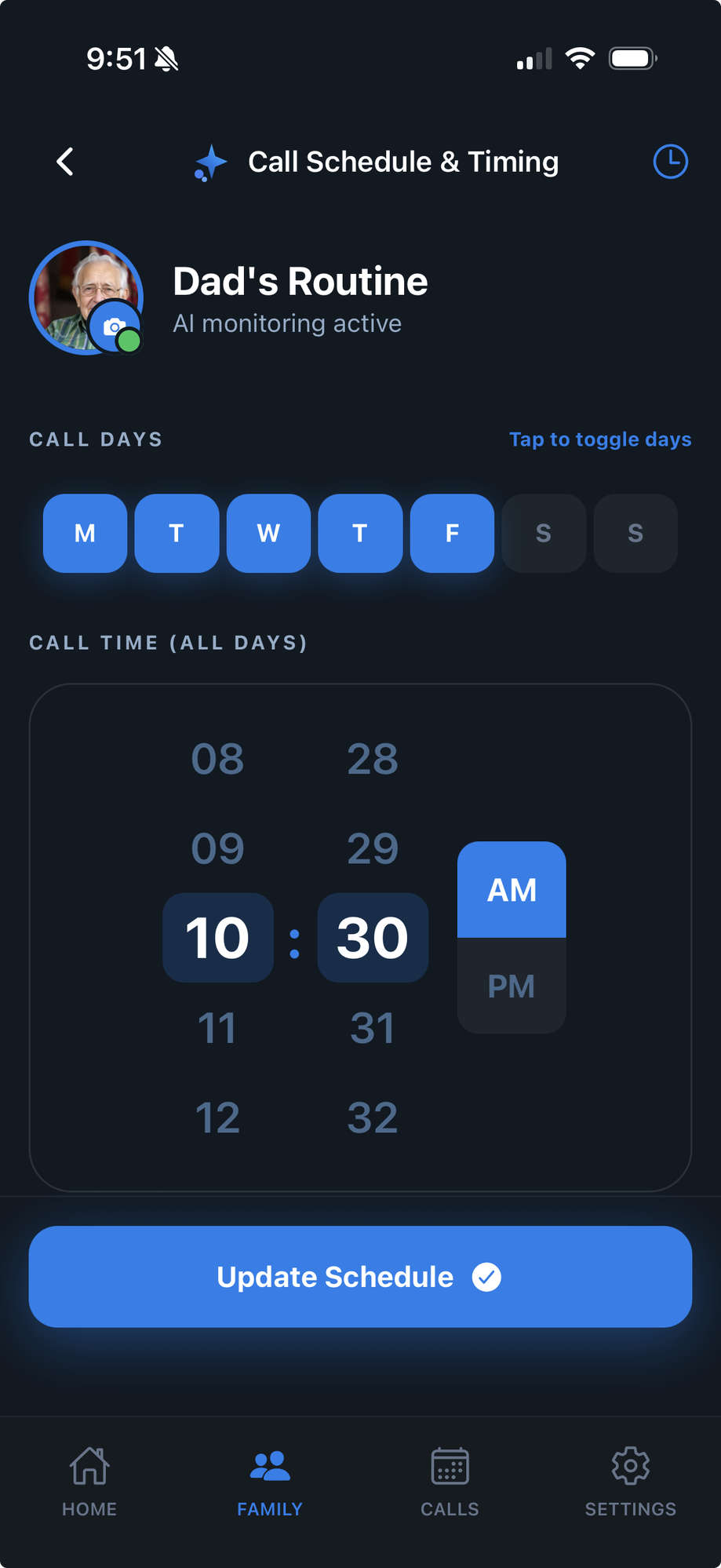
Set Up the Perfect Call Schedule
Choose which days of the week your loved one receives calls, and pick the best time. Maybe 10:30am after they've had breakfast, or 7pm after dinner.
- Flexible scheduling
Daily calls, weekdays only, or specific days you choose
- Time zone aware
Calls arrive at the right local time, wherever they are
- Easy to adjust
Change the schedule anytime from your app
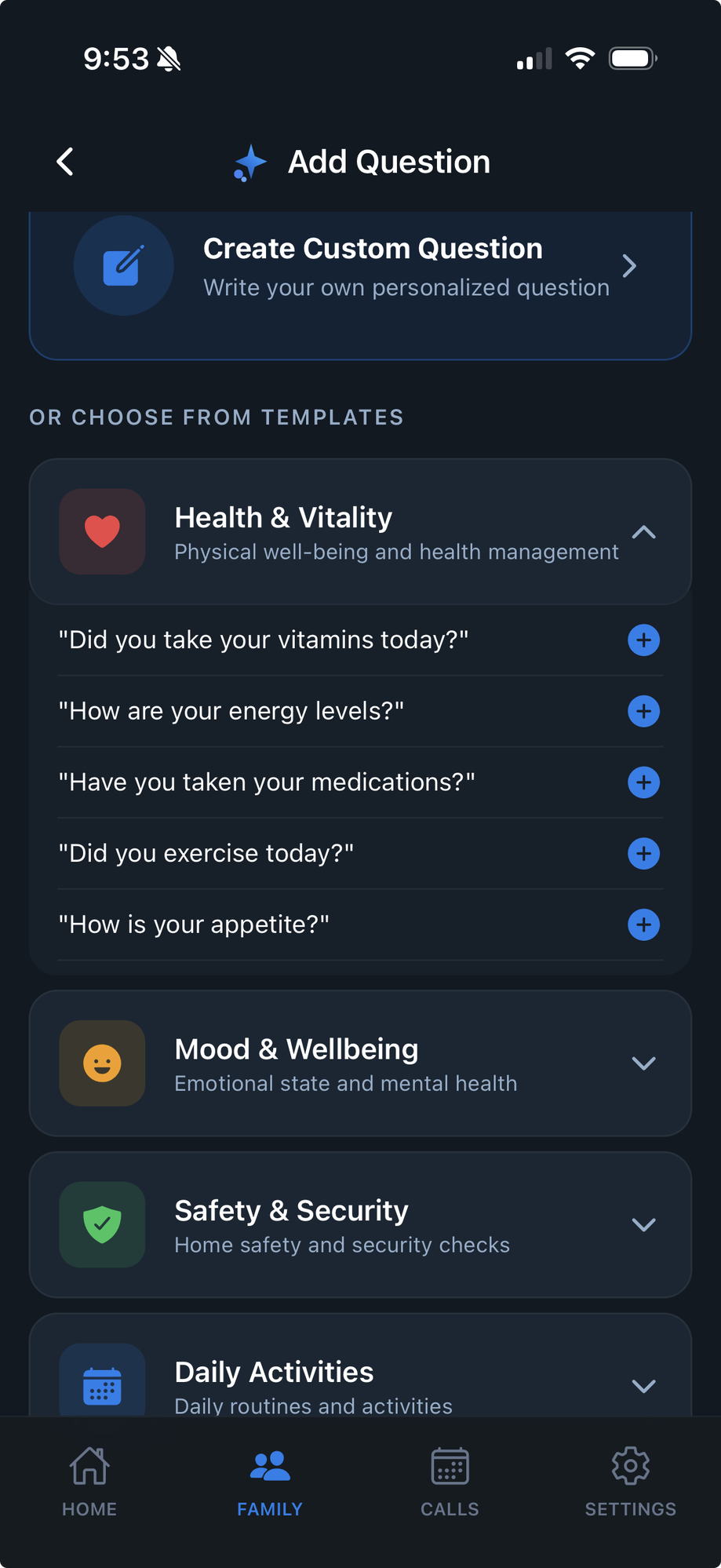
Choose the Questions That Matter
Select from our library of wellness questions, or write your own custom questions. Ask about medications, doctor appointments, sleep, meals, or anything important to your family.
Health & Vitality
Medications, energy, appetite
Mood & Wellbeing
Emotional state, social life
Safety & Security
Home safety, falls, concerns
Daily Activities
Routines, appointments, plans

Call in progress
Sarah AI is talking with Mom...
Our AI Calls for a Friendly Chat
At the scheduled time, our AI assistant calls your loved one for a warm, natural conversation. It asks about their day, checks on their wellness, and provides genuine companionship.
- Natural, human-like voice
Not robotic - warm and personable
- Adapts to their pace
Patient, never rushing, always listening
- Remembers past conversations
Builds rapport over time
Get Instant Summaries & Alerts
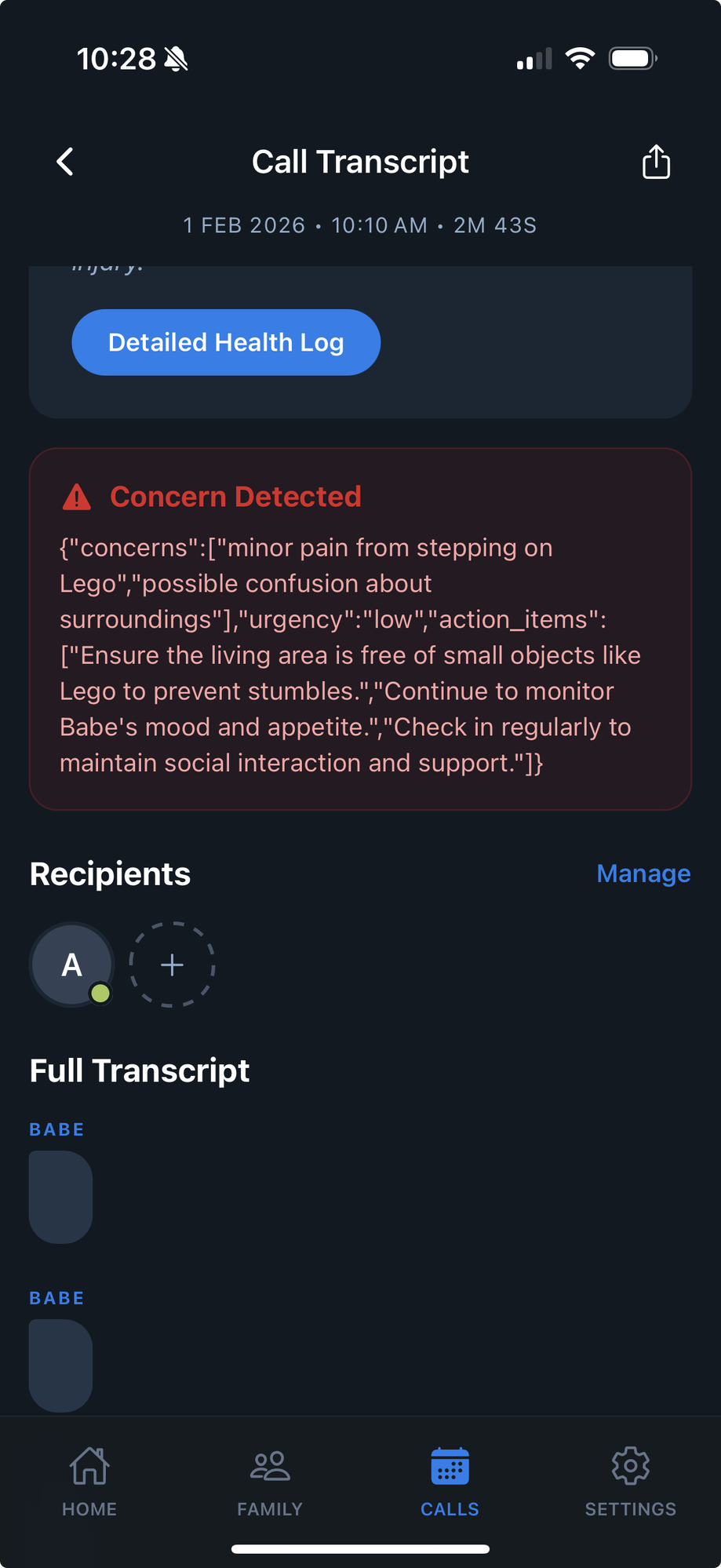
After each call, you receive a summary with key insights. Our AI analyzes the conversation for signs of concern - confusion, mentions of pain, changes in mood - and alerts you immediately if something needs attention.
- Full call transcript
Read exactly what was said in each call
- Health status tracking
See trends over days, weeks, and months
- AI concern detection
Automatic alerts with recommended actions
- Share with family
Keep siblings and caregivers in the loop
Common Questions
Does my parent need a smartphone?
No! FamilyPulse works with any phone - landlines, flip phones, or smartphones. Your loved one just needs to be able to answer a phone call.
How does the AI know if something is wrong?
Our AI analyzes speech patterns, word choice, and responses to wellness questions. It can detect changes in mood, confusion, mentions of pain or falls, and other concerning indicators.
Will my parent feel like they're talking to a robot?
Our AI is designed to have natural, warm conversations. Many users say it feels like talking to a caring neighbor. You can customize the voice and conversation style.
What if they don't answer?
If your parent misses a call, the AI will try again at the next scheduled time. You'll be notified of missed calls, and after multiple missed calls, you'll receive an alert.
Can I add multiple family members?
Yes! You can add siblings, other relatives, or professional caregivers to receive call summaries and alerts. Everyone stays in the loop.